


DIY CARE & MAINTENANCE
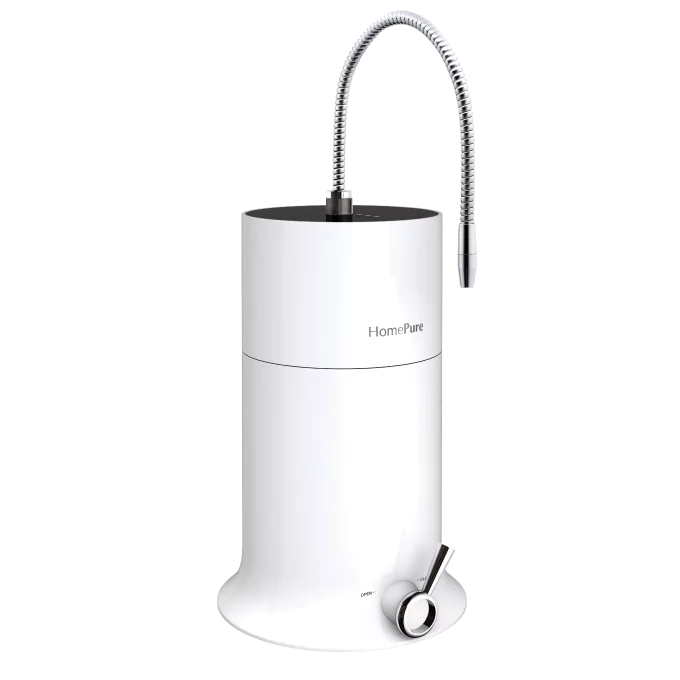
HOMEPURE VIVA
CARE GUIDE
Keep your HomePure Viva running like new with genuine spare parts and easy step-by-step guides.
INSTALLATION
How to Set-Up Your HomePure Viva
The HomePure Viva delivers 11 types of pH-balanced water for drinking, cooking, cleaning, and more. Get more from your water today by following this quick set-up guide.
What you need:
- HomePure Viva unit and parts (included with purchase)
- A pair of sharp scissors
- Access to a faucet with pre-treated metropolitan water
- An electricity source positioned away from the faucet
Notes Before Usage
Keep these in mind to ensure smooth operation.

Initial Water Discard
After selecting any mode, discard the first 20 seconds of water to ensure you receive the desired pH level.

Safety First
Your user manual contains crucial safety information. Familiarise yourself with these guidelines thoroughly.

User-Friendly Controls
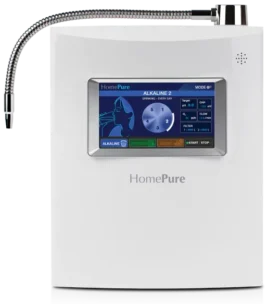
An intuitive LCD screen and audio guidance make it easy to choose a water type and monitor the unit.
Water Pressure:
The Key to Optimal Performance
HomePure Viva requires sufficient water pressure for the best possible filtration. The ideal pressure range is 1 bar (minimum) to 4 bars (maximum).
Effective Filtration
Proper pressure ensures impurities are removed efficiently.
Consistent Performance
Low pressure may slow filtration or affect water quality.
Full Functionality
Features like strong alkaline or acidic water need adequate pressure to work properly.
REPLACEMENT
Replacing Spare Parts
Even durable components wear out. Replacing them in ensures clean water, safe operation, and long-term performance. It’s quick and simple!
Replace the Flexible Pipe
- Rotate the flexible pipe counterclockwise.
- Remove it from the nozzle.
- Position the new pipe and twist clockwise until tight.
Replacing the Fuse
As in any electrical equipment, the HomePure Viva’s fuse can ‘trip’ or ‘blow’ and disrupt its function. If your unit does not have any power despite being plugged in and switched on, this means you need to replace its fuse. Unplug your HomePure Viva from the power source and follow the simple steps below.
- Turn off the unit and unplug the power cord.
- Use a flat screwdriver to open the fuse casing.
- Replace with a 240V 3.15A fuse.
- Close the casing and power the unit back on.
Replacing the Elbow Fitting
The elbow fitting is another part that plays a role in water flow direction. If you notice water leaking around the elbow fitting of your HomePure Viva, then it might be time to replace it. It’s quick and easy to do.
- Push down on the white ring and pull the inlet tube out.
- Remove the old elbow fitting.
- Insert the new elbow fitting firmly.
- Reconnect the inlet tube.
Replacing the Inlet Tube
The inlet tube delivers water into your HomePure Viva. Replace it if it’s damaged, leaking, or clogged with sediment. For safety and optimal performance, we recommend changing it every two years.
- Turn off the faucet and diverter valve.
- Unscrew the silver cap; disconnect the tube.Unscrew the silver cap; disconnect the tube.
- Connect the new tube at both ends.
- Tighten the silver cap.
Replacing the Drain Silicone Tube
As the name suggests, this part is responsible for draining the water from your unit. When either the vacuum silicone or the grey drain silicone tube is broken, your HomePure Viva will leak water around the drain silicone tube, which you must then replace.
- Locate the drain outlet at the bottom of the unit.
- Push down the ring and pull out the old tube.
- Insert the new silicone tube until secure.
Replacing the Diverter Valve
The diverter valve controls the flow of unfiltered and filtered water from the faucet to your HomePure Viva. If the diverter valve becomes hard to turn or the water starts leaking through it, you might either need to clean the valve or change it.
- Turn off the faucet and diverter valve.
- Unscrew the inlet tube and remove the diverter.
- Install the new diverter valve.
- Reconnect the inlet tube.
Replacing the Dust Filter
If water has stopped dispensing from your HomePure Viva or the flow has become noticeably weaker, it means too much sediment has accumulated in the dust filter after prolonged use. It’s easy to replace, but make sure to pay attention to which direction you attach the new one.
- Push down the ring and detach the inlet tube from the dust filter.
- Remove the clogged dust filter.
- Connect the new filter, ensuring the arrow points towards the unit.
When To Replace Spare Parts
Look for these common signs to identify parts that need replacement.

Leaks
Leaks usually come from cracked tubes, fittings, or the diverter valve.
Weak Flow
Weak water flow is often caused by clogged dust filters or old inlet tubes.

No Power
If the device won’t turn on when plugged in, the cause is usually a blown fuse.
SUPPORT
Need Help with Your Viva?
If any step feels unclear or you notice unusual behaviour, QNET Global Support Centre can guide you.
FAQ
Frequently Asked Questions
A quick reference before you contact Support.
Do I need tools to replace spare parts?
Only the fuse replacement requires a screwdriver. Everything else is tool-free.
Can I use spare parts purchased outside of QNET?
Please only use spare parts issued for HomePure by QNET. Using unauthorised parts from third-party vendors may cause the unit to leak or malfunction, and will void its warranty.
Why is the water flow on my Viva weak?
Weak water flow could be due to a damaged tube, a clogged dust filter, or a lack of pressure from your water source. Check these potential causes and proceed with either replacing the spare parts or consulting with a local technician.
What should I do if my water pressure is weak?
Water pressure can decrease due to various factors like maintenance work, peak usage times, or issues with your water source. Check with your local water supplier and seek expert help as needed.